Best Racing Simulator Setup: Complete Beginner, Midrange, and Premium Sim Racing Builds
The best racing simulator setup is not necessarily the one with the strongest wheelbase or the most monitors. It is the setup that combines dependable force feedback, consistent braking, a stable driving position, an appropriately sized display, and hardware that works with the games and platform you actually use.
For most PC racers building a serious first rig, I would start with a modest direct-drive wheel bundle, a sturdy mounting solution, a correctly positioned monitor, and a comfortable seat. I would prioritize a load-cell brake and a rigid cockpit before spending heavily on maximum steering torque, motion platforms, or triple displays.
This guide compares five complete setup strategies and explains which parts deserve the budget. It is an editorial buying guide based on published specifications, compatibility documentation, and practical setup principles; it does not claim that every product has been personally tested.
Quick Answer: What Is the Best Racing Simulator Setup?
Best overall for most PC beginners: a MOZA R5 direct-drive bundle, sturdy wheel stand or cockpit, 27–32-inch high-refresh-rate monitor, and a capable gaming PC. Add a more consistent brake system when the budget allows.
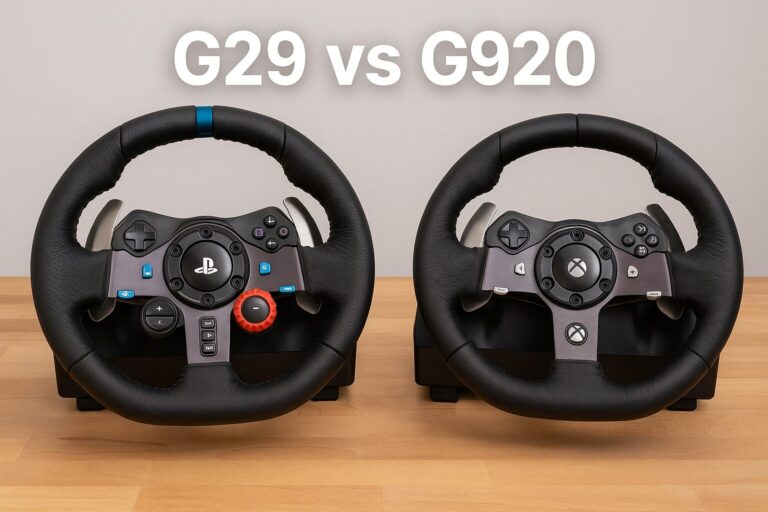
- Best budget setup: Logitech G29/G920/G923, stable desk or wheel stand, existing monitor.
- Best entry-level direct drive: MOZA R5 or R5 Pro bundle, PC, stable mount.
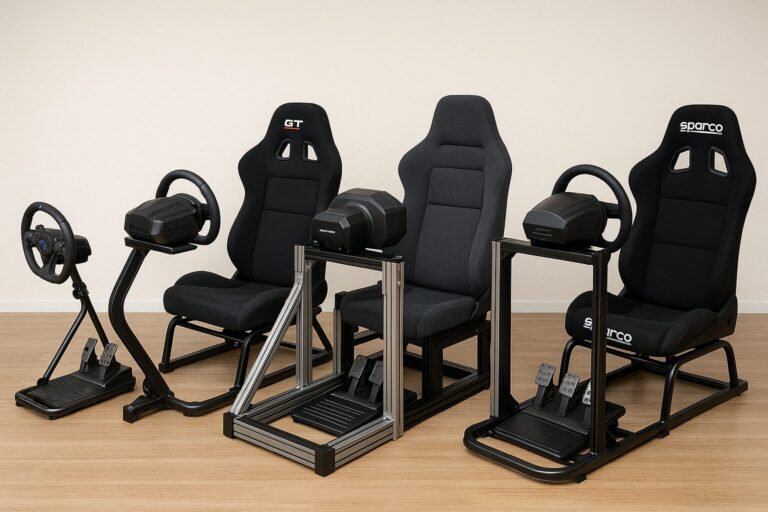
- Best compact setup: MOZA R5 plus Next Level Racing GTLite Pro or a rigid folding wheel stand.
- Best midrange upgrade: Fanatec CSL DD 8 Nm or MOZA R9-class base, load-cell pedals, fixed cockpit.
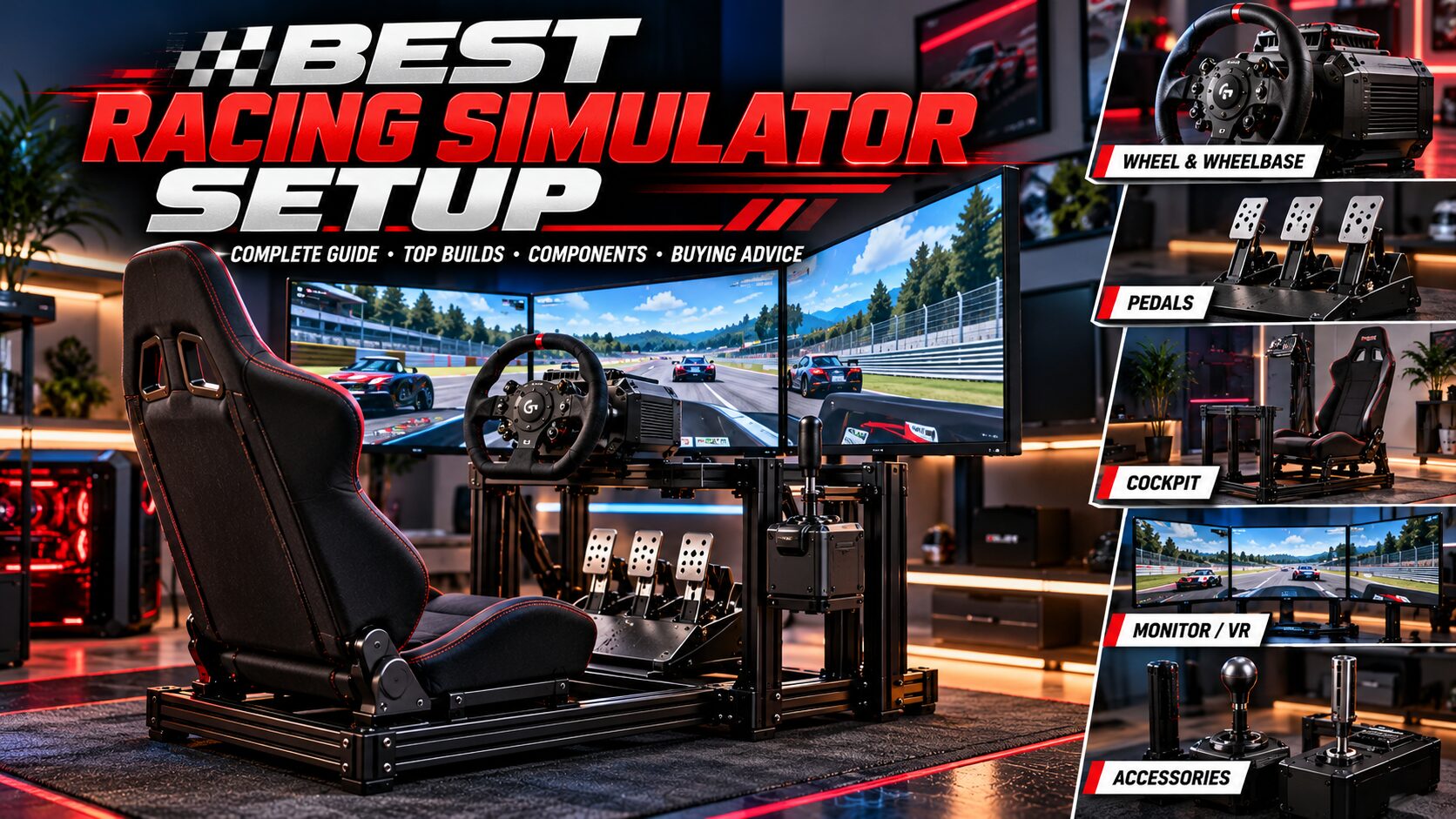
- Best premium setup: 12–20 Nm-class direct drive, high-quality load-cell pedals, aluminum-profile cockpit, ultrawide or triple monitors.
Important: PC and console compatibility differ by model and wheel configuration. Never assume that a PC-only wheelbase will work on PlayStation or Xbox.
Best Racing Simulator Setup Comparison Table
Affiliate disclosure: This article may contain affiliate links. A purchase through those links may earn the publisher a commission at no additional cost to the reader.
| Build | Wheel System | Mount | Display | Best For |
|---|---|---|---|---|
| Budget | Logitech G29/G920/G923 | Desk or wheel stand | Existing 24–32-inch screen | First-time racers |
| Overall starter | MOZA R5 bundle | Stable wheel stand or cockpit | 27–32-inch high-refresh display | PC direct-drive entry |
| Compact | MOZA R5 / R5 Pro | Foldable cockpit | Single monitor | Shared rooms |
| Midrange | Fanatec CSL DD 8 Nm or MOZA R9 | Fixed rigid cockpit | 34-inch ultrawide | Regular racers |
| Premium | 12–20 Nm-class DD base | Aluminum-profile rig | Triple screens or VR | Dedicated sim room |
These are recommended configurations, not single manufacturer kits. The PC or console, software, monitor, cockpit, and sometimes pedals must be purchased separately.
How I Evaluated the Best Racing Simulator Setups
I assess each configuration by how well its components work together rather than assigning arbitrary product scores. The main factors are total cost, steering feel, brake consistency, mounting rigidity, comfort, platform compatibility, upgrade options, space requirements, and ease of installation.
For example, a 15 Nm wheelbase attached to a flexible desk can feel less controlled than a 5.5 Nm wheelbase on a rigid stand. Similarly, a premium pedal set that slides on the floor will be difficult to use consistently. Every recommendation below considers those trade-offs.
1. Best Budget Racing Simulator Setup: Logitech Wheel + Existing Desk
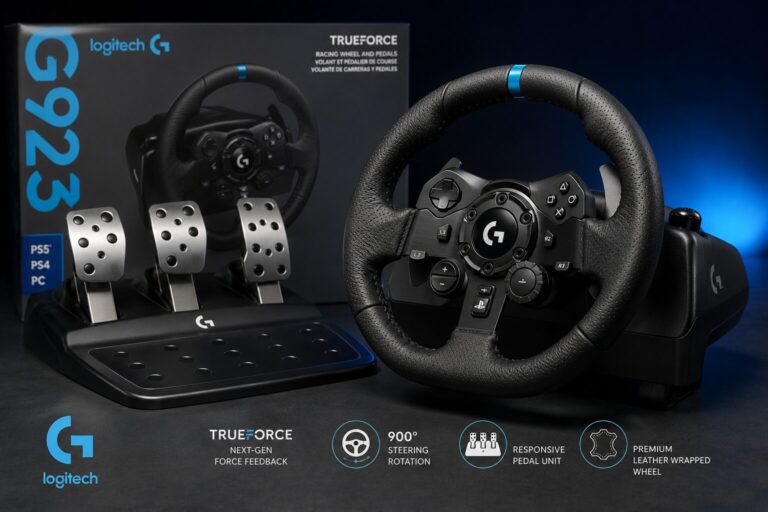
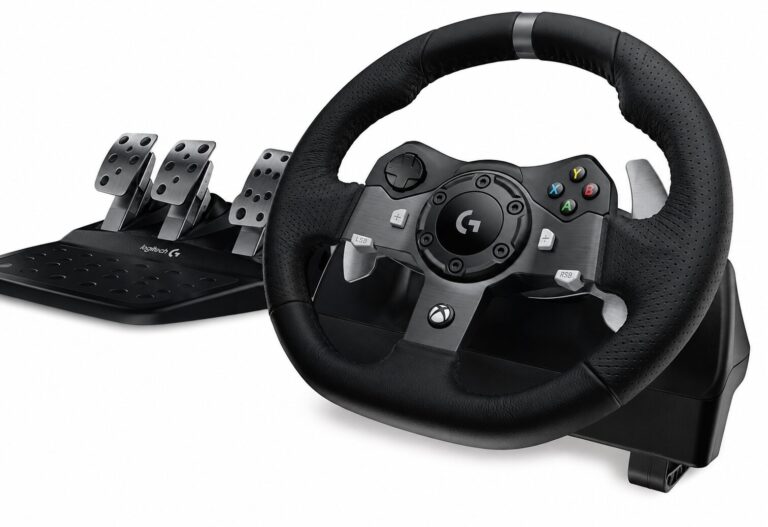
Recommended parts: Logitech G29, G920, or G923 wheel-and-pedal set; solid desk or basic wheel stand; existing PC/console and monitor.
Best for: casual racing, learning the basics, limited spending.
The budget setup is built around using equipment already in the room. A Logitech gear-driven wheel provides force feedback, paddle shifting, and bundled pedals without requiring a dedicated cockpit. The exact wheel variant matters: G29 and G920 target different console families, while G923 has platform-specific versions.
Why It Makes Sense
A beginner can learn braking points, countersteering, steering inputs, and track positioning without immediately buying a direct-drive system. A stable desk and an adjustable chair are more important than decorative accessories. Secure the pedals against a wall or suitable stop so they cannot slide.
Where It Falls Short
Gear-driven steering can feel noisier and less smooth than direct drive. Entry-level brake pedals also measure travel or resistance differently from dedicated load-cell systems, which may make precise threshold braking harder to repeat. Desk chairs with wheels can move under braking.
Pros
- Uses an existing desk and monitor
- Wheel-and-pedal package simplifies buying
- Low space commitment
- Good starting point for learning racing lines
Cons
- Less refined feedback than direct drive
- Desk and chair movement can reduce consistency
- Limited long-term upgrade path compared with modular ecosystems
Who should buy it? New racers who want to find out whether they enjoy sim racing before committing to a permanent rig.
Check Logitech G923 on Amazon
2. Best Overall Racing Simulator Setup for Beginners: MOZA R5 Direct Drive
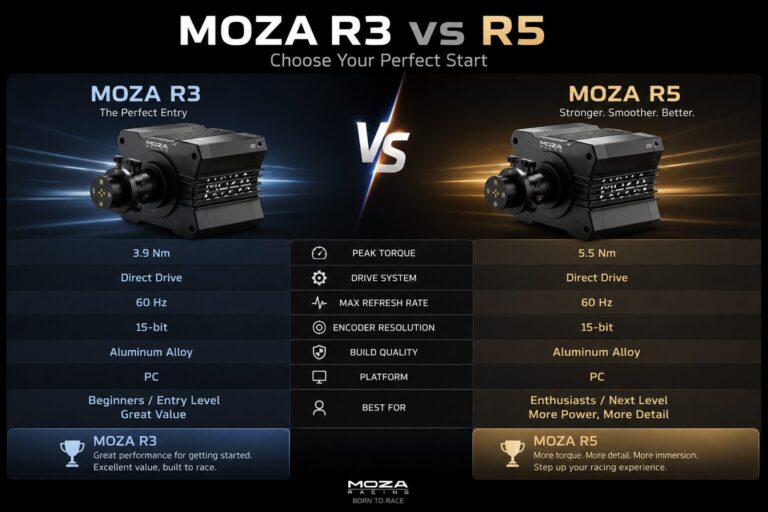
Core hardware: MOZA R5 Racing Bundle (5.5 Nm direct-drive base, ES steering wheel, SR-P Lite two-pedal set, desk clamp).
Platform: Windows PC.
Suggested extras: stable wheel stand, monitor arm, headset, and later a better brake system.
For PC players who know they want to race regularly, the MOZA R5 bundle is a compelling starting point. The manufacturer specifies 5.5 Nm peak torque and includes a wheel, two pedals, and a desk clamp. That removes the uncertainty of purchasing a wheelbase, compatible rim, and pedals individually.
Force Feedback
Direct drive attaches the steering shaft directly to the motor, avoiding the gear or belt stages found in many older consumer wheels. The R5’s output is substantial enough for meaningful steering loads without requiring the mounting demands of a much stronger base. Force-feedback tuning is available through MOZA Pit House.
Pedal Considerations
The bundled SR-P Lite pedals use Hall sensors rather than a load-cell brake. They are suitable for starting out, but a load-cell upgrade or compatible replacement pedal set may make a bigger difference to braking consistency than increasing wheel torque. Verify accessory compatibility for the exact R5 generation and pedal set before ordering.
Monitor and Cockpit
A single 27–32-inch monitor with a high refresh rate is a sensible match. Place it as close as safely possible behind the wheelbase, keeping ventilation and wheel movement unobstructed. If the desk vibrates or the chair moves, a fixed wheel stand is the next priority.
Pros
- Direct-drive steering in a bundled package
- Wheel, pedals, and desk clamp included
- Manageable torque for a first rig
- Expandable PC ecosystem
Cons
- PC-only compatibility for this bundle
- No clutch pedal included
- Bundled pedals are not load-cell brakes
- More torque still benefits from a rigid mount
Best for: a serious first PC setup that can grow over time.
Check MOZA R5 Bundle on Amazon | Official MOZA specifications
Alternative: The newer MOZA R5 Pro Bundle uses a 6 Nm base and SRP Lite2 pedals. Compare its local price and features against the original R5 rather than assuming the two are identical.
3. Best Compact Racing Simulator Setup: Foldable Cockpit + Modest Direct Drive
Suggested combination: MOZA R5 or compatible entry-level wheel, Next Level Racing GTLite Pro foldable cockpit, single monitor.
Best for: apartments, shared offices, and rooms where the rig cannot remain assembled.
A folding cockpit gives the driver a defined seat, wheel position, and pedal position without requiring a permanent aluminum frame. The main advantage is repeatability: the seat and pedals move together instead of relying on a rolling office chair and loose pedal set.
Folding and Storage
Check the folded footprint, the weight of the attached wheelbase, and the space required to move the cockpit. Some rigs can be folded with compatible equipment attached, but the exact process depends on the wheel, pedals, and accessories. A monitor normally remains separate.
Stability
Foldable structures may flex more than a fixed aluminum-profile cockpit, particularly under hard braking. Keep steering torque moderate and confirm the cockpit manufacturer’s mounting and torque guidance. Do not assume that every load-cell pedal or high-torque base is suitable.
Pros
- Can be stored between sessions
- Integrated seating improves repeatability
- Better pedal anchoring than a bare floor
- Useful compromise for small spaces
Cons
- More flex than a rigid fixed rig
- Folding can become inconvenient with accessories attached
- Seat fit and adjustment may not suit everyone
Check GTLite Pro on Amazon
4. Best Midrange Racing Simulator Setup: 8–9 Nm Direct Drive + Load-Cell Pedals
Recommended architecture: Fanatec CSL DD 8 Nm bundle or MOZA R9-class wheelbase with compatible rim; separate load-cell pedals; rigid cockpit; 34-inch ultrawide display.
Best for: drivers racing several times per week.
The biggest midrange upgrade is not simply more steering torque. It is a complete improvement in rig rigidity, brake repeatability, seating position, and visual field. An 8–9 Nm direct-drive system offers extra force-feedback headroom, but that benefit is limited if the wheel deck shakes or the pedals move under load.
Why Load-Cell Brakes Matter
Load-cell pedals measure applied force rather than relying solely on pedal position. With an appropriate elastomer or spring arrangement and a rigid mounting platform, drivers can learn to reproduce brake pressure more consistently. The improvement is most useful when the seat and pedal deck cannot shift.
Why an Ultrawide Monitor?
A 34-inch ultrawide provides a wider horizontal field than a typical 16:9 screen while remaining easier to run and position than triple monitors. It is not equivalent to triples for side visibility, but it reduces complexity and cable clutter.
Pros
- Strong upgrade path without going extreme
- Better braking consistency with a proper load-cell system
- Rigid cockpit improves repeatability
- Ultrawide offers a useful immersion boost
Cons
- Substantially higher total price than a starter bundle
- Load-cell pedals require secure mounting
- Wheelbase, wheel, pedals, and cockpit may be separate purchases
- Console compatibility requires careful verification
Search Fanatec CSL DD on Amazon | Search MOZA R9 on Amazon
Essential Components of a Racing Simulator Setup
1. Wheelbase and Steering Wheel
The wheelbase creates force feedback; the steering wheel provides the grip, buttons, and paddles. Many premium wheelbases are sold without a rim. Check quick-release compatibility, electrical connections, firmware support, and whether the wheel has the buttons you need for your racing discipline.
2. Pedals
Pedals deserve a large share of the budget because braking consistency affects every lap. A basic two-pedal set is sufficient for modern GT and Formula racing with paddle shifts. A clutch is useful for manual road cars, historic racing, and some rally or drifting applications. Verify whether the pedals connect through the wheelbase or directly by USB.
3. Cockpit or Wheel Stand
A cockpit aligns the seat, wheel, and pedals. A wheel stand saves space but still requires a chair that will not roll backward. Fixed aluminum-profile cockpits are the strongest long-term option for heavy braking and powerful direct drive.
4. Gaming PC or Console
The PC or console determines available racing titles, peripheral support, graphics performance, and display options. PC systems generally allow more mixed-brand USB peripherals; consoles are more restrictive. Confirm the exact game and hardware combination before purchasing.
5. Monitor, TV, or VR
Refresh rate, response characteristics, viewing distance, and correct field-of-view settings matter more than screen size alone. A monitor mounted far behind a desk can make a larger screen feel less immersive than a smaller screen placed correctly.
6. Shifter and Handbrake
A shifter is optional for paddle-shifted cars. Choose an H-pattern shifter for manual road and historic cars, a sequential shifter for rally or touring applications, and a handbrake for rally or drifting when the game supports it.
7. Audio and Accessories
A headset or well-positioned speakers can deliver engine, tire, and opponent cues without adding visual clutter. Optional tactile transducers, button boxes, dashboard screens, and motion systems are best purchased after the core driving position is reliable.
Single Monitor vs Ultrawide vs Triple Monitors vs VR
| Display | Main Advantage | Main Trade-Off |
|---|---|---|
| Single 16:9 | Affordable, simple, flexible | Limited side view |
| 34-inch ultrawide | Wider view with one screen | Still less side coverage than triples |
| Triple monitors | Broad peripheral view | Space, GPU, and alignment demands |
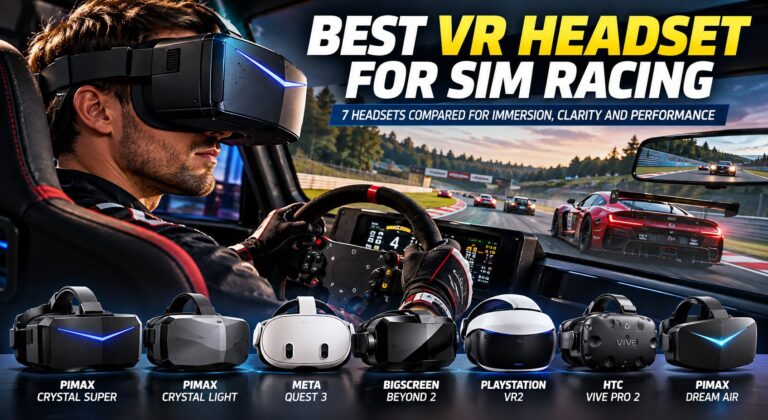
| VR | Stereoscopic depth and head tracking | Comfort and performance demands |
Correct field of view is essential. Enter your display dimensions, viewing distance, and monitor configuration in the simulator’s settings. An exaggerated field of view can distort speed and distance perception even on expensive hardware.
PC vs PlayStation vs Xbox: Compatibility Checklist
PC: The broadest option for mixing compatible USB pedals, shifters, handbrakes, and wheelbases. Game-specific support still varies.
PlayStation: Requires a wheelbase or officially supported system with PlayStation compatibility. A PC-only MOZA R5 bundle is not a native PlayStation solution.
Xbox: Compatibility often depends on the specific steering wheel and base combination. Some Fanatec Xbox-compatible wheels enable Xbox use with supported bases, but that does not make every Fanatec wheel or accessory compatible.
Before buying, verify the exact model, firmware version, platform, game, and any required adapters using official documentation. Avoid relying on a listing that merely says “universal.”
How to Set Up a Racing Simulator Cockpit Correctly
- Secure the seat. The seat should not roll, rock, or slide when the brake is pressed.
- Position the pedals. Your legs should retain a slight bend at full pedal travel rather than locking straight.
- Set wheel distance. With shoulders supported, the arms should remain comfortably bent while gripping the wheel.
- Adjust wheel height. Avoid raising the shoulders or forcing the wrists into an extreme angle.
- Place the display. Center it behind the steering axis, as close as practical without obstructing hardware or airflow.
- Configure FOV. Use actual screen dimensions and eye-to-screen distance.
- Tune force feedback. Start low, avoid excessive clipping, and increase gradually.
- Secure cables. Keep power and USB cables clear of pedals, wheel rotation, seat adjustment, and folding joints.
Revisit the driving position after several sessions. Small changes to brake distance or wheel angle can improve comfort more than an expensive accessory.
How Much Does a Good Racing Simulator Setup Cost?
Prices vary by region, sales, taxes, shipping, and whether you already own a gaming PC or console. The following are planning ranges, not live retailer quotes:
| Build | Illustrative Hardware Budget | Assumption |
|---|---|---|
| Budget | $250–$600 | Wheel/pedals and basic mounting; existing screen and computer/console |
| Starter direct drive | $600–$1,300 | DD bundle, stable stand/cockpit, single screen if needed |
| Midrange | $1,500–$3,000 | Modular wheel system, load-cell pedals, rigid cockpit, display |
| Premium | $3,000–$7,000+ | Higher-end controls, profile cockpit, advanced displays; PC may be extra |
A gaming PC, software subscriptions, shipping, taxes, and additional accessories may substantially increase the total. Before checkout, list every required item: base, rim, quick release, pedals, mounting brackets, seat, display, computer, cables, and adapters.
Common Racing Simulator Setup Mistakes
Buying Maximum Torque Before a Rigid Cockpit
Powerful steering is less useful when the wheel deck flexes. Build the foundation first.
Ignoring the Brake Pedal
Consistent braking is often a higher-value improvement than additional wheelbase torque.
Mixing Console Accessories Without Checking Support
Mixed-brand USB accessories that work on PC may not work on a console.
Buying a Cockpit Without Measuring the Room
Include the space needed to enter and exit the seat, adjust pedals, and position the monitor.
Using an Office Chair With Strong Brakes
Rolling backward changes braking pressure and can create a safety problem.
Placing the Monitor Too Far Away
Distance affects perceived scale and field of view. Plan the screen mount with the wheel position.
Forgetting Hidden Costs
A wheelbase-only listing may exclude the rim, pedals, clamp, quick release, and power accessories.
Buying Accessories Before Learning the Simulator
Shifters, handbrakes, button boxes, and motion can wait until your preferred racing discipline is clear.
Frequently Asked Questions About Racing Simulator Setups
What is the best racing simulator setup for beginners?
A reliable wheel-and-pedal bundle, stable mounting, comfortable seating, and an existing monitor are enough to begin. The MOZA R5 is a strong PC direct-drive option; a Logitech G-series wheel is a simpler budget alternative.
Is direct drive worth it for a first setup?
It can be if you plan to race regularly. A well-priced entry-level direct-drive bundle avoids the need to replace a gear-driven wheel soon afterward.
Do I need a racing cockpit?
No. A sturdy desk or wheel stand can work with lower-torque systems, but a cockpit improves seating and pedal consistency.
What is the best wheelbase torque for beginners?
Around 5–6 Nm can provide a satisfying introduction to direct drive. Correct tuning and mounting matter more than chasing a particular number.
Are load-cell pedals worth it?
For regular competitive driving, they are often one of the most valuable upgrades when securely mounted.
Can I use a direct-drive wheel on a desk?
Some entry-level bases include desk clamps, but the desk must be stable and the clamp must fit securely. Check manufacturer guidance.
What is the best monitor size for sim racing?
A 27–32-inch display is a practical single-screen starting point. A 34-inch ultrawide offers extra horizontal visibility.
Are triple monitors better than an ultrawide?
Triples can provide a wider peripheral view, but require more space, computing power, and careful alignment.
Is VR better than triple monitors?
VR offers depth and head tracking, while triples are often easier for long sessions and physical button access. Preference depends on comfort and hardware.
Do I need a shifter?
Not for most paddle-shifted racing cars. It is useful for manual road cars, rally, and historic racing.
Do I need a clutch pedal?
Only if your preferred cars or driving style require it. Many GT and Formula setups use two pedals.
Can I use MOZA R5 on PlayStation?
The standard MOZA R5 bundle is specified for PC, not native PlayStation use.
Can I mix wheel and pedal brands?
Often on PC when each device supports a separate USB connection. Consoles are more restrictive.
What should I upgrade first?
Fix mounting and seating movement first, then consider a better brake pedal system, display placement, and finally stronger force feedback.
Is a folding cockpit good for direct drive?
It can work with suitable lower- or moderate-torque equipment. Verify the specific cockpit’s limits and mounting compatibility.
Can a sim racing setup improve lap times?
Better ergonomics and consistent controls can support more repeatable inputs, but practice, car setup, and racecraft remain essential.
Which simulator games should beginners try?
Choose a title matching your interests and platform, then confirm wheel compatibility. Popular PC options include Assetto Corsa Competizione, iRacing, Automobilista 2, and Assetto Corsa.
Is a gaming PC required?
No. Compatible console wheel setups work with supported PlayStation and Xbox racing games. PC offers broader peripheral and display flexibility.
How much room do I need?
Measure the cockpit’s footprint plus access space and display stand depth. A desk setup needs less room than a fixed rig with triple screens.
Should I buy everything at once?
Usually not. Start with the essentials and upgrade the parts that limit comfort or consistency.
Final Verdict: Which Racing Simulator Setup Should You Build?
For most PC racers, the best racing simulator setup is a modest direct-drive bundle on a stable mount, paired with a well-positioned monitor and a comfortable driving position. The MOZA R5 bundle offers an accessible starting point because it includes the base, steering wheel, pedals, and desk clamp. Its 5.5 Nm direct-drive output is useful without forcing a premium cockpit purchase immediately.
If the budget is tight, a Logitech wheel-and-pedal set on a stable desk is still a legitimate way to learn. If the room must remain multipurpose, a foldable cockpit offers a practical compromise. If you race regularly, prioritize load-cell braking and a rigid fixed cockpit before upgrading to substantially higher wheelbase torque.
For a dedicated premium rig, choose an aluminum-profile frame, adjustable load-cell pedals, a compatible 12–20 Nm-class wheelbase, and a display arrangement that fits the available room and graphics hardware. The best configuration is the one that stays comfortable, reliable, and consistent over long sessions—not the one with the longest equipment list.
My Final Recommendations
Budget: Logitech G29/G920/G923 + stable desk or stand.
Overall PC starter: MOZA R5 bundle + stable stand + 27–32-inch monitor.
Compact: Entry-level direct drive + compatible folding cockpit.
Midrange: 8–9 Nm direct drive + load-cell pedals + rigid cockpit + ultrawide.
Premium: 12–20 Nm direct drive + aluminum-profile cockpit + load-cell pedals + triples or VR.
Explore Sim Racing Setup Equipment on Amazon

Hi, I’m Peter Edwards, a lifelong sim racing enthusiast, tech tinkerer, and automotive geek with a passion for making virtual racing feel as real as possible. I’ve spent years testing steering wheels, pedals, and full cockpit rigs—from entry-level gear to pro-grade setups—to help others build immersive, affordable racing experiences at home.
When I’m not tightening bolts on my rig or tuning force feedback curves, you’ll find me comparing telemetry data, exploring new racing titles, or helping fellow racers fine-tune their setups. My goal is to share honest, experience-based insights that help every driver—from casual weekend racers to aspiring eSports pros—get faster, smoother, and more connected to the track.
I write for SimRacingEnthusiast.com, where I share deep-dive reviews, setup guides, and honest opinions on the latest in the sim racing world.