Best Sim Racing Monitors: 7 Displays I’d Choose for Immersion, Clarity, and Competitive Racing
The best sim racing monitor should make it easier to judge braking points, see cars beside me, follow the road through a corner, and remain comfortable during long practice sessions. Screen size matters, but it is only one part of the decision. Resolution, aspect ratio, refresh rate, panel response, curvature, viewing distance, graphics-card performance, and mounting position can completely change how a monitor feels inside a simulator.
After comparing super-ultrawide, ultrawide, 4K, OLED, Mini-LED, single-screen, triple-screen, PC, and console options, my top overall choice is the Samsung Odyssey Neo G9 57-inch.
Its 7680 × 2160 Dual UHD resolution gives me the horizontal workspace of two 32-inch 4K monitors without a bezel in the center. The 1000R curve wraps the image around the cockpit, while the 240 Hz maximum refresh rate gives the panel enough speed for a premium racing PC.
However, I would not recommend the Neo G9 57 to every sim racer. It is large, expensive, difficult to mount, and extremely demanding to run at its full native resolution and refresh rate.
For OLED image quality and immediate pixel response, I prefer the Samsung Odyssey OLED G9. For a taller ultrawide image, the LG UltraGear 45GX950A provides a 45-inch 5K2K OLED panel with a 21:9 aspect ratio. A triple-monitor racer may be better served by three ASUS ROG Swift OLED PG32UCDM displays, while a console user or 4K High-Refresh Gaming buyer should consider the Gigabyte MO27U2.
In this guide, I compare the best sim racing monitors based on immersion, field of view, motion clarity, image quality, panel speed, resolution, HDR, viewing comfort, cockpit compatibility, graphics-card requirements, console support, durability, and upgrade potential.
Quick Answer: What Is the Best Monitor for Sim Racing?
The Samsung Odyssey Neo G9 57-inch is my best overall sim racing monitor. Its 32:9 aspect ratio, 7680 × 2160 resolution, 1000R curve, Mini-LED backlight, and 240 Hz maximum refresh rate create one of the widest and most detailed single-screen racing experiences available.
- Best overall: Samsung Odyssey Neo G9 57-inch
- Best OLED super-ultrawide: Samsung Odyssey OLED G9
- Best 21:9 premium ultrawide: LG UltraGear 45GX950A
- Best for triple-screen racing: ASUS ROG Swift OLED PG32UCDM
- Best 4K High-Refresh Gaming: Gigabyte MO27U2
- Budget Ultrawide Sim Racing & Immersive PC Gaming: AOC CU34G2X
- Best budget alternative: MSI MAG 342CQR E2
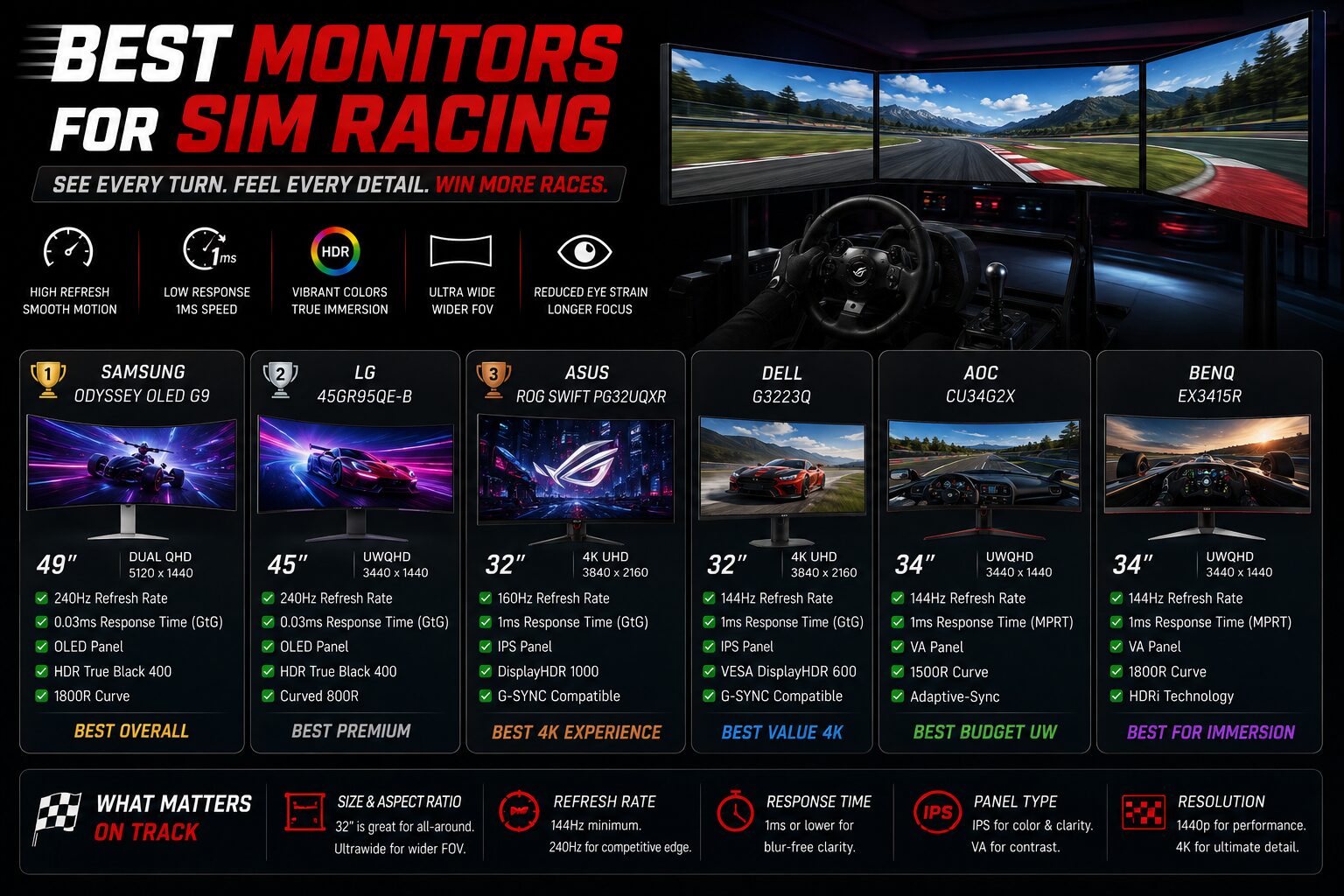
Best Sim Racing Monitors Comparison Table
Disclosure: This post contains affiliate links. If you click through and make a purchase, we may earn a small commission at no extra cost to you.

Samsung 57" Odyssey Neo G9 (G95NC) Dual 4K UHD
240Hz, 1ms with DisplayPort 2.1, Quantum Mini-LED, DisplayHDR 1000, AMD FreeSync Premium Pro
Check Price on Amazon.com
Samsung 49" Odyssey (G93SC) Series QD-OLED Curved Gaming Monitor
240Hz, 0.03ms, DQHD, G-Sync Compatible, FreeSync Premium Pro, Adjustable Stand. Resolution is QHD Ultra Wide 1440p.
Check Price on Amazon.com
LG 45GX950A-B 45-inch Ultragear 5K2K WUHD (5120 x 2160)
OLED Curved Gaming Monitor, Dual-Mode, 165Hz, 0.03ms, NVIDIA G-Sync, AMD FreeSync Premium Pro, HDR True Black 400, USB Type-C 90W, DP2.1
Check Price on Amazon.com
ASUS ROG PG32UCDM 32 Inch 4K 240Hz OLED Gaming Monitor QD-OLED
UHD, Custom Heatsink, 0.03ms, G-SYNC Compatible, USB-C 90W, True 10-bit, Graphene Film, 99% DCI-P3, for PS5 and Xbox
Check Price on Amazon.com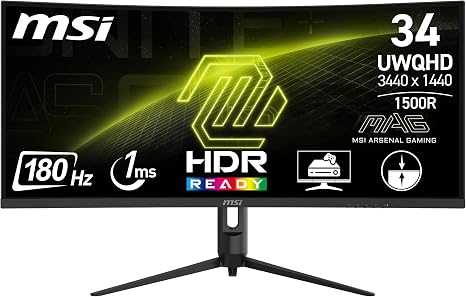
MSI MAG 342CQR E2 34 Inch OLED Monitor 3440 x 1440
34" UWQHD, 180 Hz - VA panel 3440 x 1440 (21:9 format) with 180Hz refresh rate (Adaptive Sync)
Check Price on Amazon.com
GIGABYTE MO27U2 27" QD-OLED UHD AMD Freesync Premium Pro Gaming Monitor
Black, UHD 3840x2160-4K, 240Hz, 0.03ms GTG, G-SYNC Compatible, HDMI2.1, DP1.4, Type-C, KVM, Height and Tilt Adjustable
Check Price on Amazon.com
AOC CU34G2X 34" Curved Frameless Immersive Gaming Monitor, UltraWide QHD 3440x1440
VA Panel, 1ms 144Hz Adaptive-Sync, Height Adjustable, 3-Yr Zero Dead Pixels, Black/Red
Check Price on Amazon.com| Monitor | Size | Resolution | Aspect Ratio | Maximum Refresh Rate | Best For | My Score |
|---|---|---|---|---|---|---|
| Samsung Odyssey Neo G9 | 57 inches | 7680 × 2160 | 32:9 | 240 Hz | Best overall single-screen rig | 4.9/5 |
| Samsung Odyssey OLED G9 | 49 inches | 5120 × 1440 | 32:9 | 240 Hz | OLED super-ultrawide racing | 4.8/5 |
| LG UltraGear 45GX950A | 45 inches | 5120 × 2160 | 21:9 | 165 Hz at native resolution | Premium tall ultrawide | 4.8/5 |
| ASUS ROG Swift OLED PG32UCDM | 32 inches | 3840 × 2160 | 16:9 | 240 Hz | Triple-screen or premium single 4K | 4.8/5 |
| Gigabyte MO27U2 | 27 inches | 3840 × 2160 | 16:9 | 240Hz | 4K High-Refresh Gaming | 4.6/5 |
| AOC CU34G2X | 34 inches | 3440 × 1440 | 21:9 | 144 Hz | Budget Ultrawide | 4.5/5 |
| MSI MAG 342CQR E2 | 34 inches | 3440 × 1440 | 21:9 | 180 Hz | Budget curved racing monitor | 4.4/5 |
How I Evaluated the Best Sim Racing Monitors
I do not rank a sim racing monitor based only on its diagonal size or advertised refresh rate.
A 49-inch display can feel less immersive than a correctly positioned 32-inch screen if it is mounted too far away. A high-resolution monitor can look excellent in screenshots but produce an inconsistent racing experience if the graphics card cannot maintain a stable frame rate.
My evaluation focuses on how the display works as part of the complete cockpit.
Testing Methodology
- Field of view: How naturally the screen fills the driver’s horizontal and vertical vision.
- Corner visibility: Whether I can see apexes and corner exits without relying excessively on virtual camera movement.
- Side awareness: How clearly I can identify cars beside the cockpit.
- Motion clarity: Whether trackside objects, braking boards, kerbs, and cars remain readable while moving.
- Input responsiveness: How immediate steering and camera movement feel.
- Pixel density: Whether text, dashboards, distant cars, and track details appear sharp at normal cockpit distance.
- Contrast and black levels: Performance in night racing, dark cockpits, and mixed lighting.
- HDR: Highlight control, dark-scene detail, and brightness variation.
- Viewing comfort: Curvature, eye movement, reflections, text clarity, and long-session fatigue.
- Mounting: VESA support, weight, stand dimensions, and compatibility with cockpit monitor frames.
- Graphics demand: The GPU performance required to maintain useful frame rates.
- Durability: Panel aging, OLED image-retention concerns, cooling, and long-term firmware support.
Expert Scoring Criteria
| Scoring Category | Weight |
|---|---|
| Immersion and field of view | 25% |
| Motion clarity and responsiveness | 20% |
| Image quality and resolution | 15% |
| Viewing comfort | 10% |
| Mounting and cockpit compatibility | 10% |
| PC and console compatibility | 10% |
| Durability and value | 10% |
Because not every monitor was physically tested in an identical cockpit and lighting environment, the rankings combine direct display experience, sim racing ergonomics, current official specifications, mounting analysis, graphics-performance considerations, and long-term ownership factors.
1. Samsung Odyssey Neo G9 57-inch – Best Sim Racing Monitor Overall
Samsung 57" Odyssey Neo G9 (G95NC) Dual 4K UHD
240Hz, 1ms with DisplayPort 2.1, Quantum Mini-LED, DisplayHDR 1000, AMD FreeSync Premium Pro
Check Price on Amazon.comMy Rating: 4.9/5
Best for: Premium single-screen PC cockpits
Panel type: VA with Quantum Mini-LED backlighting
Resolution: 7680 × 2160
Aspect ratio: 32:9
Maximum refresh rate: 240 Hz
The Samsung Odyssey Neo G9 57-inch is my best overall choice because it combines the simplicity of one monitor with an image area close to two 32-inch 4K displays placed side by side.
Samsung lists a 7680 × 2160 Dual UHD resolution, a 32:9 aspect ratio, a 1000R curvature, a 1 ms gray-to-gray response specification, and a maximum 240 Hz refresh rate.
For sim racing, the most important part is not the headline refresh rate. It is the combination of horizontal width and 2160-pixel vertical resolution.
Many 49-inch super-ultrawides use 5120 × 1440. They provide excellent width but have the same vertical pixel count as a normal 1440p display. The 57-inch Neo G9 provides much more vertical detail, which helps dashboards, mirrors, distant braking boards, and cockpit textures appear sharper.
Immersion and Field of View
The 32:9 screen fills a large portion of my peripheral vision when mounted close to the wheelbase.
In a correctly supported simulator, I can see more of the side windows, mirrors, dashboard, and approaching corners without placing physical bezels between the center and side views.
The 1000R curve is particularly relevant at cockpit distance. A flatter 57-inch panel would place the outside edges much farther from my eyes than the center. The curve brings those edges inward and makes the display easier to scan.
A super-ultrawide does not provide the same side coverage as a carefully configured triple-monitor setup. Triple displays can wrap farther around the driver and show more of the side windows. However, the Neo G9 avoids bezel interruption, synchronization differences, and the additional configuration required by triples.
Image Quality Analysis
The Dual UHD resolution is the main advantage.
At normal sim racing distance, track markings, dashboard displays, car liveries, fencing, and environmental details look significantly cleaner than they do on a 5120 × 1440 panel of similar physical width.
Quantum Mini-LED backlighting allows local dimming, producing brighter highlights and stronger HDR separation than a typical edge-lit LCD.
It does not achieve the perfect black level of OLED because light still passes through an LCD layer. However, it avoids the same permanent image-retention concerns associated with OLED panels displaying static dashboards, timing overlays, and telemetry for many hours.
Motion and Refresh Rate
The monitor supports up to 240 Hz, but running 7680 × 2160 at extremely high frame rates is demanding.
Dual UHD contains approximately 16.6 million pixels per frame, which is the same pixel count as two 4K displays. A graphics card must render more than twice as many pixels as a 5120 × 1440 super-ultrawide.
I would rather maintain a stable 100–160 frames per second with sensible settings than reduce image quality aggressively simply to approach 240 Hz.
For racing, stable frame pacing matters. Sudden drops while braking or turning into a corner are more distracting than a consistently lower refresh rate.
Build Quality and Mounting
This is a very large and heavy display.
I would verify the monitor stand’s maximum weight, VESA pattern, width, and height adjustment before installation. A standard office monitor arm is not appropriate.
A freestanding heavy-duty cockpit monitor stand is usually safer than attaching the monitor directly to a moving or vibrating cockpit frame.
The physical width also affects room placement. I would measure the complete area around the rig rather than relying on the 57-inch diagonal specification.
Compatibility
The Neo G9 is primarily a premium PC monitor. Consoles cannot make full use of its 32:9 resolution because PlayStation and Xbox games generally output standard 16:9 formats.
A console image may appear with unused side areas or be stretched depending on monitor settings.
For that reason, I recommend the Neo G9 mainly for high-end PC sim racing.
Pros
- Extremely wide 32:9 field of view
- Sharp 7680 × 2160 resolution
- High vertical resolution for dashboards and distant detail
- 1000R curve suits cockpit use
- Up to 240 Hz
- Mini-LED HDR performance
- No center bezel
- Less complex than triple monitors
- No OLED burn-in risk
Cons
- Very demanding GPU requirements
- Large and heavy
- Requires a specialized monitor stand
- Expensive
- Not ideal for PS5 or Xbox
- Still provides less wraparound coverage than ideal triples
- Local-dimming behavior may create blooming in difficult scenes
Who Should Buy It?
I recommend the Neo G9 57 to PC racers who want the widest practical single-screen setup, own a high-end graphics card, and have space for a permanent cockpit.
Who Should Avoid It?
I would avoid it if I use a mid-range GPU, race primarily on console, frequently move the rig, or want the side-window coverage of triple monitors.
My Best Overall Sim Racing Monitor
The 57-inch Neo G9 is the monitor I would choose when I want triple-like width without managing three independent screens.
2. Samsung Odyssey OLED G9 – Best OLED Super-Ultrawide for Sim Racing
Samsung 49" Odyssey (G93SC) Series QD-OLED Curved Gaming Monitor
240Hz, 0.03ms, DQHD, G-Sync Compatible, FreeSync Premium Pro, Adjustable Stand. Resolution is QHD Ultra Wide 1440p.
Check Price on Amazon.comMy Rating: 4.8/5
Best for: Fast OLED racing with a wide 32:9 view
Resolution: 5120 × 1440
Panel: OLED
Refresh rate: 240 Hz
Response time: 0.03 ms GtG
The Samsung Odyssey OLED G9 is my preferred super-ultrawide when motion clarity, black levels, and pixel response matter more than the Neo G9 57’s higher vertical resolution.
Samsung lists a 49-inch 5120 × 1440 OLED panel, a 32:9 aspect ratio, a 240 Hz refresh rate, and a 0.03 ms gray-to-gray response time.
OLED Motion Clarity
OLED pixels can change state extremely quickly because each pixel generates its own light. There is no liquid-crystal layer that must transition while a separate backlight remains active.
During sim racing, this helps trackside objects, cars, barriers, and braking boards remain clearer as they move across the screen.
High refresh rate and fast pixel response are separate qualities. A 240 Hz LCD can still show more transition blur than a well-tuned 240 Hz OLED.
Contrast and Night Racing
OLED can turn individual pixels off, creating true black.
This is especially impressive in night racing. Dark skies, cockpit shadows, and unlit sections of track remain deep, while headlights, brake lights, and illuminated dashboards stand out strongly.
The OLED G9 also avoids the blooming halos that Mini-LED displays can show around bright objects on dark backgrounds.
Resolution and GPU Demand
The 5120 × 1440 resolution contains roughly 7.4 million pixels. That is significantly less demanding than the Neo G9 57’s 16.6 million pixels.
This makes the OLED G9 easier to drive at high frame rates.
Its vertical resolution is still 1440 pixels, so it does not look as sharp vertically as the 57-inch Dual UHD display. Text and fine detail remain good at appropriate viewing distance, but the difference is visible.
OLED Durability
Static sim racing interfaces deserve consideration.
Dashboard elements, lap counters, timing towers, telemetry overlays, and game menus can remain in the same position for long periods. OLED protection systems reduce the risk of permanent image retention, but they do not make it impossible.
I would use screen-protection features, hide unnecessary overlays, avoid leaving static images displayed, and allow the monitor to complete its maintenance cycles.
An OLED warranty and the manufacturer’s current image-retention coverage should be checked in the buyer’s region.
Curvature and Cockpit Position
The OLED G9 is not as aggressively curved as some 1000R super-ultrawides, depending on the exact version.
I would mount it close enough for the outside edges to fill peripheral vision without forcing excessive head movement.
Pros
- Excellent OLED black levels
- Very fast pixel response
- 240 Hz refresh rate
- Wide 32:9 image
- Strong HDR contrast
- Lower GPU demand than Dual UHD
- No center bezel
- Excellent night-racing presentation
Cons
- OLED image-retention risk
- Only 1440 pixels vertically
- Not as sharp as the Neo G9 57
- Premium price
- 32:9 support varies between games
- Consoles cannot fully use the native aspect ratio
Who Should Buy It?
I recommend the OLED G9 to PC racers who value motion clarity, dark-scene performance, and a wide field of view but do not want the extreme GPU demand of Dual UHD.
Who Should Avoid It?
I would choose another panel if the monitor will display static simulator interfaces for many hours every day or remain powered on with unchanged content.
3. LG UltraGear 45GX950A – Best Premium 21:9 Sim Racing Monitor
LG 45GX950A-B 45-inch Ultragear 5K2K WUHD (5120 x 2160)
OLED Curved Gaming Monitor, Dual-Mode, 165Hz, 0.03ms, NVIDIA G-Sync, AMD FreeSync Premium Pro, HDR True Black 400, USB Type-C 90W, DP2.1
Check Price on Amazon.comMy Rating: 4.8/5
Best for: Racers who want more vertical height than a 49-inch 32:9 display
Resolution: 5120 × 2160
Panel: OLED
Aspect ratio: 21:9
Curvature: 800R
The LG UltraGear 45GX950A takes a different approach from the Samsung G9 monitors.
Instead of extending the image to 32:9, it uses a taller 21:9 panel. LG lists a 45-inch 5120 × 2160 OLED display, an 800R curve, a native 165 Hz mode, a 330 Hz lower-resolution dual mode, a 0.03 ms response time, DisplayPort 2.1, and USB-C with up to 90 W power delivery.
Why Vertical Height Matters
A common weakness of 49-inch 32:9 monitors is their relatively limited height. They are approximately as tall as a conventional 27-inch 16:9 screen.
The 45-inch LG feels more like a large cockpit window. I see more vertical dashboard area, windscreen, sky, elevation change, and cockpit detail.
This is valuable in rally, truck simulation, road cars, and circuits with significant elevation.
The screen is not as wide as a 49-inch or 57-inch 32:9 display, but the increased height can feel more natural.
5K2K Resolution
The 5120 × 2160 resolution provides approximately 11.1 million pixels.
It is more demanding than 5120 × 1440 but less demanding than 7680 × 2160.
The 125-pixel-per-inch density produces clean text and detailed dashboards while avoiding the coarse appearance of earlier 45-inch 3440 × 1440 OLED monitors.
800R Curvature
The aggressive 800R curve is designed for close viewing.
In a sim rig, this can work well because the monitor is usually mounted directly behind the wheelbase. The edges face the driver rather than extending away from the cockpit.
For general office work, the curvature may feel extreme. For racing, I find the logic more convincing.
Dual-Mode Refresh Rate
At the native 5120 × 2160 resolution, the monitor supports up to 165 Hz. It can switch to a lower-resolution 330 Hz mode.
For sim racing, I would normally use the native 5K2K mode. Resolution and track clarity are more valuable than 330 Hz when the lower mode sacrifices substantial image detail.
OLED Image Quality
The OLED panel provides excellent black levels, immediate pixel response, and strong contrast.
Night racing, tunnel transitions, headlights, and bright dashboard elements look particularly convincing.
The same static-image precautions that apply to other OLED monitors also apply here.
Pros
- Tall and immersive 45-inch panel
- Sharp 5120 × 2160 resolution
- Excellent OLED contrast
- Fast 0.03 ms pixel response
- 165 Hz at native resolution
- Aggressive 800R curve suits close cockpit mounting
- DisplayPort 2.1
- Better vertical view than 49-inch 32:9 displays
Cons
- Less horizontal width than a 32:9 display
- OLED image-retention risk
- High GPU demand
- Expensive
- 800R curve may be too aggressive for mixed office use
- Console output does not use the full 21:9 format
Who Should Buy It?
I recommend the LG 45GX950A to racers who want premium OLED performance, a taller image, and a closer-to-cockpit-window feeling rather than maximum horizontal width.
Who Should Avoid It?
I would avoid it if 32:9 side visibility is the primary goal or if the same monitor must serve as a conventional flat-looking productivity display.
4. ASUS ROG Swift OLED PG32UCDM – Best Monitor for a Premium Triple-Screen Rig
ASUS ROG PG32UCDM 32 Inch 4K 240Hz OLED Gaming Monitor QD-OLED
UHD, Custom Heatsink, 0.03ms, G-SYNC Compatible, USB-C 90W, True 10-bit, Graphene Film, 99% DCI-P3, for PS5 and Xbox
Check Price on Amazon.comMy Rating: 4.8/5
Best for: High-end triple screens or premium 4K single-monitor racing
Size: 32 inches
Resolution: 3840 × 2160
Panel: QD-OLED
Refresh rate: 240 Hz
The ASUS ROG Swift OLED PG32UCDM is my premium triple-screen choice.
ASUS specifies a 32-inch 4K QD-OLED panel, a 240 Hz refresh rate, a 0.03 ms gray-to-gray response time, 99% DCI-P3 coverage, true 10-bit color, and a custom cooling system with a heatsink and graphene film.
Why 32 Inches Works for Triples
Three 32-inch 16:9 monitors create a much wider physical image than one 49-inch super-ultrawide.
When angled correctly, the side monitors can extend around the driver and show actual side windows and mirrors. This creates excellent awareness during close racing.
The vertical height is also greater than a 49-inch 32:9 panel.
Triple 4K Performance Demand
Three 4K monitors require the GPU to render 11,520 × 2160, or approximately 24.9 million pixels per frame.
This is about 50% more pixels than the 57-inch Neo G9 and three times the pixel count of one 4K monitor.
Very few systems can run demanding simulations at triple 4K and 240 frames per second.
I would normally reduce rendering resolution, use upscaling, or target a lower stable refresh rate. Triple 1440p may provide a better performance balance for many systems.
QD-OLED Image Quality
The PG32UCDM provides excellent contrast, color volume, and response speed.
Using three OLED displays creates a visually exceptional cockpit, particularly at night. However, it also multiplies cost and image-retention exposure.
Three separate panels may also show slight brightness or color differences, although calibration can reduce them.
Bezels
Triple monitors create bezel lines where the screens meet.
I usually stop noticing correctly aligned bezels after becoming focused on the race. Bezel-free optical kits can reduce their appearance, but they introduce their own alignment and distortion considerations.
Mounting Requirements
A triple-screen stand needs independent width, angle, height, tilt, and alignment adjustment.
I prefer a freestanding stand rather than attaching three valuable OLED monitors to a cockpit that receives vibration from a direct drive wheel or motion system.
Pros
- Excellent 4K sharpness
- 240 Hz refresh rate
- Very fast OLED response
- Perfect black levels
- Excellent side coverage in a triple setup
- Strong vertical field of view
- Can also serve as a premium single monitor
- Advanced cooling features
Cons
- Extremely expensive as a triple set
- Triple 4K requires enormous GPU performance
- Three OLED panels increase burn-in exposure
- Complex alignment and cabling
- Physical bezels remain visible
- Requires substantial room width
Who Should Buy It?
I recommend the PG32UCDM to racers building a no-compromise triple-screen cockpit or buyers wanting one premium 32-inch 4K monitor for racing and general gaming.
Who Should Avoid It?
I would not build triple 4K OLED around a mid-range graphics card or a lightweight cockpit stand.
5. Gigabyte MO27U2 – Best Value 4K High-Refresh Gaming Sim Racing Monitor
GIGABYTE MO27U2 27" QD-OLED UHD AMD Freesync Premium Pro Gaming Monitor
Black, UHD 3840x2160-4K, 240Hz, 0.03ms GTG, G-SYNC Compatible, HDMI2.1, DP1.4, Type-C, KVM, Height and Tilt Adjustable
Check Price on Amazon.comMy Rating: 4.6/5
Best for: Premium 4K high-refresh PC gaming and competitive racing
Size: 27 inches
Resolution: 3840 × 2160
Panel: QD-OLED
Refresh rate: 240 Hz
Response time: 0.03 ms GTG
Adaptive sync: AMD FreeSync Premium Pro and G-SYNC Compatible
The GIGABYTE MO27U2 is my premium 27-inch 4K recommendation for gamers who want exceptionally sharp image quality, OLED contrast, and very fast motion performance in a compact display.
It combines a 27-inch QD-OLED panel with a native 3840 × 2160 resolution, 240 Hz refresh rate, and ultra-fast 0.03 ms GTG response time. With HDMI 2.1, DisplayPort 1.4, USB Type-C, KVM functionality, AMD FreeSync Premium Pro, and G-SYNC compatibility, it is designed for high-end gaming systems and flexible multi-device setups.
Single-Monitor Use
The 27-inch 16:9 format makes the MO27U2 easy to use with almost any modern game.
Unlike ultrawide or super-ultrawide monitors, its standard 16:9 aspect ratio avoids many compatibility issues with menus, HUD elements, cutscenes, and games that do not properly support wider resolutions.
For a racing simulator, placing the monitor close behind the steering wheel can create a focused cockpit experience while preserving excellent image clarity.
4K Clarity
The MO27U2 uses a native 3840 × 2160 4K UHD resolution on a relatively compact 27-inch panel.
GIGABYTE specifies a pixel density of approximately 166 PPI, giving the display extremely fine detail. Dashboard text, distant cars, track surfaces, braking markers, menus, and small interface elements should appear exceptionally sharp at typical desktop and cockpit viewing distances.
The combination of 4K resolution and the smaller 27-inch screen makes image sharpness one of the MO27U2’s strongest characteristics.
QD-OLED Image Quality
The MO27U2 uses a next-generation QD-OLED display rather than a conventional IPS or VA panel.
OLED technology allows individual pixels to produce their own light, helping deliver deep blacks and very high contrast without relying on a traditional backlight.
GIGABYTE specifies a 1.5M:1 contrast ratio, 99% DCI-P3 color coverage, and 10-bit color depth. This makes the monitor particularly attractive for games with dark environments, night races, vibrant lighting, and detailed HDR-style scenes.
240 Hz Gaming Performance
The 240 Hz maximum refresh rate is a major advantage over conventional 120 Hz, 144 Hz, and 165 Hz 4K gaming monitors.
When paired with a sufficiently powerful graphics card, the higher refresh rate can provide smoother steering inputs, clearer fast-moving objects, and lower perceived motion blur.
This is especially valuable in fast racing games, competitive shooters, esports titles, and other games where responsiveness matters.
0.03 ms Response Time
GIGABYTE rates the MO27U2 at an extremely fast 0.03 ms GTG response time.
The rapid pixel response of OLED technology helps reduce visible ghosting and motion smearing during fast camera movements.
For sim racing, that means trackside objects, opponents, braking markers, and scenery can remain clearer as they move rapidly across the screen.
Adaptive Sync
The MO27U2 supports AMD FreeSync Premium Pro and is also listed as G-SYNC Compatible.
Adaptive-sync technology allows the monitor’s refresh rate to synchronize with the graphics card’s output, helping reduce screen tearing and uneven frame delivery when frame rates fluctuate.
This can be particularly useful at 4K because maintaining a perfectly constant 240 FPS can be difficult even with powerful gaming hardware.
HDMI 2.1 Connectivity
The monitor includes HDMI 2.1, making it suitable for modern high-bandwidth gaming devices as well as high-end gaming PCs.
It also includes DisplayPort 1.4 and USB Type-C, providing several options for connecting gaming systems, laptops, and other devices.
The standard 16:9 4K resolution also makes the MO27U2 more straightforward for console use than 21:9 or 32:9 ultrawide monitors.
KVM and USB Type-C
A useful advantage of the MO27U2 is its integrated KVM functionality.
KVM can make it easier to share a keyboard and mouse between multiple connected systems, such as a gaming desktop and laptop.
USB Type-C further improves flexibility for users who want the monitor to serve both gaming and productivity setups.
OLED Care and Burn-In Protection
OLED displays can be susceptible to image retention or burn-in when static content remains visible for extended periods.
GIGABYTE addresses this with its OLED Care system. According to GIGABYTE, the monitor uses AI-based algorithms and several background protection technologies designed to reduce burn-in risk while minimizing interference during normal use.
Users can also adjust different OLED Care settings according to their preferences.
Thermal Management
The MO27U2 uses a graphene thermal film, four-sided ventilation, and a customized heatsink to help manage heat.
Its fanless thermal design is particularly attractive for quiet gaming environments because there is no cooling fan constantly operating inside the monitor.
Racing Simulator Performance
For sim racing, the MO27U2 emphasizes image quality and responsiveness rather than maximum horizontal field of view.
The combination of 4K resolution, 240 Hz refresh rate, 0.03 ms response time, OLED contrast, and adaptive sync makes it particularly well suited to racers who prioritize smooth motion and detailed visuals.
The main limitation is its 27-inch 16:9 format. A single MO27U2 cannot provide the same peripheral vision as a 34-inch ultrawide or 49-inch super-ultrawide display.
Triple-Screen Potential
Three MO27U2 monitors could create an exceptionally sharp and responsive triple-4K racing setup.
However, rendering three 3840 × 2160 displays simultaneously would place an enormous workload on the graphics card.
For most triple-monitor racing setups, 1440p displays remain significantly easier to drive at high frame rates.
Pros
- Sharp 27-inch 4K UHD image
- High 166 PPI pixel density
- QD-OLED panel
- 240 Hz maximum refresh rate
- Extremely fast 0.03 ms GTG response time
- Deep OLED blacks and very high contrast
- 99% DCI-P3 color coverage
- 10-bit color depth
- AMD FreeSync Premium Pro
- G-SYNC Compatible
- HDMI 2.1
- DisplayPort 1.4
- USB Type-C
- Built-in KVM functionality
- OLED Care burn-in protection features
- Fanless thermal design
Cons
- 27-inch screen provides less physical immersion than larger displays
- Limited horizontal field of view compared with ultrawide monitors
- 4K at very high frame rates requires a powerful graphics card
- OLED panels still require sensible precautions against burn-in
- Triple 4K configurations are extremely demanding
- Not curved
Who Should Buy It?
I recommend the GIGABYTE MO27U2 to gamers who want premium 4K image quality, extremely fast OLED response times, 240 Hz gaming, and strong color and contrast performance in a compact 27-inch display.
It is particularly attractive for high-end gaming PCs, competitive gaming, sim racing, and users who want one monitor for both gaming and productivity.
Who Should Avoid It?
I would choose a larger 32-inch monitor or an ultrawide display if maximum physical screen size and horizontal immersion are more important than pixel density and refresh rate.
I would also consider a lower-resolution monitor if your graphics card cannot comfortably handle demanding games at 4K.
6. AOC CU34G2X – Best Affordable Ultrawide Sim Racing Monitor
AOC CU34G2X 34" Curved Frameless Immersive Gaming Monitor, UltraWide QHD 3440x1440
VA Panel, 1ms 144Hz Adaptive-Sync, Height Adjustable, 3-Yr Zero Dead Pixels, Black/Red
Check Price on Amazon.comMy Rating: 4.5/5
Best for: Affordable 3440 × 1440 PC racing
Size: 34 inches
Resolution: 3440 × 1440
Refresh rate: 144 Hz
The AOC CU34G2X is my affordable ultrawide recommendation.
AOC lists a 34-inch curved 3440 × 1440 display, a 180 Hz refresh rate, FreeSync Premium, and a 1 ms response specification.
Why a 34-Inch Ultrawide Still Makes Sense
A 34-inch 21:9 monitor is one of the easiest ways to move beyond a conventional 24- or 27-inch 16:9 gaming display.
The AOC CU34G2X provides a wider horizontal view without requiring the desk space, GPU performance, or mounting setup associated with much larger 49-inch or 57-inch super-ultrawide monitors.
Its 3440 × 1440 UltraWide QHD resolution also provides a practical balance between image quality and gaming performance. It requires substantially fewer rendered pixels than 4K UHD while still providing a sharp image at 34 inches.
VA Panel Strengths
The CU34G2X uses a VA panel, a panel type known for providing strong native contrast compared with many conventional IPS gaming displays.
This can be particularly useful for night racing, shadowed cockpit interiors, and darker tracks where deeper blacks can improve the sense of depth.
One potential disadvantage of VA technology is slower dark-pixel transitions compared with OLED and some fast IPS displays. Depending on the scene and monitor settings, this can produce visible dark smearing during fast motion.
144 Hz and 1 ms MPRT Performance
The 144 Hz maximum refresh rate is well suited to sim racing and other fast-paced PC games. Higher refresh rates can make steering movements, passing scenery, nearby cars, and rapid camera movement appear smoother than on conventional 60 Hz displays.
AOC also specifies a 1 ms MPRT response time, positioning the CU34G2X as a performance-oriented gaming monitor.
The monitor also supports Adaptive-Sync, which synchronizes the display refresh rate with compatible graphics hardware to help reduce screen tearing and stuttering.
1500R Curved Ultrawide Immersion
The 1500R curved screen and 21:9 aspect ratio are particularly attractive for sim racing.
Compared with a conventional 16:9 display, the wider format can provide additional horizontal game space, allowing more of the cockpit, track, and surrounding environment to remain visible when the game properly supports 21:9 resolutions.
The 1500R curvature also helps wrap the wider image around the player’s viewing position, making the screen feel more natural when positioned relatively close to a racing wheel.
It still cannot provide the extreme peripheral coverage of a 32:9 super-ultrawide or a properly configured triple-monitor setup, but it offers a meaningful increase in immersion without requiring an exceptionally wide monitor.
3440 × 1440 Performance Advantage
Another advantage for PC sim racing is the 3440 × 1440 resolution.
It provides considerably more horizontal screen space than standard 2560 × 1440 while remaining less demanding to render than 3840 × 2160 4K.
This makes the CU34G2X particularly appealing to racers who want ultrawide immersion while maintaining higher frame rates without stepping up to the GPU requirements associated with 4K, 32:9 Dual QHD, Dual 4K, or triple-monitor configurations.
Console Limitations
The CU34G2X makes the most sense as a PC sim racing monitor.
PS5 and Xbox consoles are designed around standard 16:9 output formats rather than native 3440 × 1440 21:9 ultrawide gaming. Depending on the console, monitor, and selected output settings, a console may display a 16:9 image with unused screen space or use scaling that does not take full advantage of the ultrawide panel.
For primarily PS5 or Xbox racing, I would generally choose a native 16:9 monitor instead. For PC racing, the CU34G2X’s 21:9 aspect ratio is one of its main advantages.
Pros
- 34-inch ultrawide format
- 3440 × 1440 UltraWide QHD resolution
- 21:9 aspect ratio provides additional horizontal game space
- 1500R curved panel adds cockpit immersion
- 144 Hz maximum refresh rate
- 1 ms MPRT response-time specification
- Adaptive-Sync support
- Strong VA-panel contrast characteristics
- Less GPU-demanding than 4K and higher-resolution ultrawide configurations
- Easier to accommodate than 49-inch or 57-inch super-ultrawides
- Height-adjustable stand
- VESA mounting compatibility
Cons
- Less horizontal coverage than a 32:9 super-ultrawide
- VA dark smearing may be noticeable in some scenes
- Not as fast in pixel transitions as OLED
- Not ideal for PS5 or Xbox users who want to utilize the entire 21:9 screen
- Lower resolution and pixel density than a similarly sized 4K display
- Cannot match the peripheral coverage of a triple-monitor setup
Who Should Buy It?
I recommend the AOC CU34G2X to PC sim racers who want the additional horizontal visibility and immersion of a 34-inch 21:9 ultrawide without moving to a much larger 32:9 display or triple-monitor setup.
Its combination of 3440 × 1440 resolution, 144 Hz refresh rate, 1 ms MPRT, Adaptive-Sync, VA panel technology, and 1500R curvature makes it particularly well suited to value-conscious PC racers looking for a balance between immersion, image quality, and performance.
Who Should Avoid It?
I would choose a 16:9 4K monitor instead if the setup is primarily intended for PS5 or Xbox racing. I would also consider a 32:9 super-ultrawide or triple-monitor configuration if maximum peripheral vision is the main priority.
7. MSI MAG 342CQR E2 – Best Budget Alternative
MSI MAG 342CQR E2 34 Inch OLED Monitor 3440 x 1440
34" UWQHD, 180 Hz - VA panel 3440 x 1440 (21:9 format) with 180Hz refresh rate (Adaptive Sync)
Check Price on Amazon.comMy Rating: 4.4/5
Best for: Entry-level ultrawide cockpit builds
Size: 34 inches
Resolution: 3440 × 1440
Refresh rate: 180 Hz
Curvature: 1500R
The MSI MAG 342CQR E2 is another strong budget ultrawide option.
MSI specifies a 34-inch VA panel, 3440 × 1440 resolution, 21:9 aspect ratio, 1500R curve, 180 Hz refresh rate, 1 ms MPRT, Adaptive-Sync, and a typical 3000:1 contrast ratio.
Sim Racing Performance
The monitor gives me the same basic performance advantages as other 34-inch ultrawides: more side visibility than 16:9, a manageable resolution, and a curved image that fits naturally behind a wheelbase.
The 180 Hz refresh rate is more than enough for most sim racing systems in this price class.
In demanding games such as Assetto Corsa Competizione, Le Mans Ultimate, or heavily populated modded simulations, maintaining a stable 100–144 frames per second may be more realistic than reaching 180 frames per second.
Image Quality
The VA panel provides strong static contrast. Dark scenes look better than on many budget IPS monitors.
Response behavior in very dark transitions may not match OLED or premium fast IPS panels.
For daytime racing, the difference is often less distracting than it is in dark games with rapid camera movement.
Build and Adjustment
I would check the exact regional stand and port configuration before buying, as monitor variants can differ.
For cockpit use, the original stand is often removed and the display is attached to a VESA-compatible mount. The quality of the cockpit stand therefore matters more than the decorative base supplied with the monitor.
Pros
- Competitive budget pricing
- 3440 × 1440 ultrawide resolution
- 180 Hz refresh rate
- 1500R curve
- Strong VA contrast
- Adaptive-Sync support
- Manageable GPU requirements
Cons
- Limited HDR performance
- Possible VA dark-transition smearing
- Not ideal for console use
- Less immersive than larger super-ultrawides
- Regional features may vary
Who Should Buy It?
I recommend the MSI to first-time cockpit builders who want a high-refresh ultrawide while reserving more of the budget for pedals, a wheelbase, and a stable frame.
Single Ultrawide vs Triple Monitors for Sim Racing
This is one of the most important monitor decisions.
Advantages of a Single Ultrawide
- Simpler installation
- No side bezels
- One power cable and one display connection
- Fewer driver and synchronization issues
- Lower total width than some triple setups
- Easier game configuration
- Consistent panel color and brightness
Advantages of Triple Monitors
- Wider total physical field of view
- Better side-window visibility
- More natural mirror placement
- Greater vertical height with 32-inch panels
- Adjustable side-screen angles
- Strong cockpit enclosure effect
Disadvantages of a Single Ultrawide
- Less side coverage than ideal triples
- 32:9 game support can vary
- Large models are expensive and difficult to mount
- Replacing one damaged super-ultrawide can be costly
Disadvantages of Triple Monitors
- Visible bezels
- Complex alignment
- Large room footprint
- Three power connections
- Greater cable management
- Higher GPU demand
- Potential differences between panels
- More complicated game setup
My Preference
I choose a 49- or 57-inch super-ultrawide when I want a clean, reliable, and visually uninterrupted cockpit.
I choose triples when side awareness and maximum horizontal field of view matter more than installation simplicity.
For competitive door-to-door racing, triples still provide the strongest spatial awareness. For a multi-purpose rig used for racing, normal gaming, and work, a single ultrawide is easier to live with.
What Is the Best Monitor Size for Sim Racing?
| Monitor Size | Best Use | Main Limitation |
|---|---|---|
| 24–27 inches | Entry-level desks and triple-monitor builds | Limited immersion as one screen |
| 32 inches | 4K single display or premium triples | Narrow horizontal view as a single screen |
| 34 inches ultrawide | Affordable PC cockpit | Less side coverage than super-ultrawide |
| 39–45 inches ultrawide | Tall immersive single-screen setup | Higher cost and GPU demand |
| 49 inches super-ultrawide | Wide single-screen cockpit | Limited vertical height |
| 57 inches super-ultrawide | Maximum single-screen detail and width | Extreme size, cost, and GPU demand |
| Triple 27-inch | Efficient triple 1440p rig | Less vertical height than triple 32-inch |
| Triple 32-inch | Maximum triple-screen immersion | Large footprint and GPU demand |
Viewing Distance Matters More Than Size Alone
A monitor should be mounted close to the wheelbase, ideally behind or directly above the steering shaft without blocking hand movement.
The closer the monitor is, the larger it appears in the driver’s vision.
A 32-inch screen mounted correctly can produce a better geometric field of view than a 49-inch screen placed far behind the cockpit.
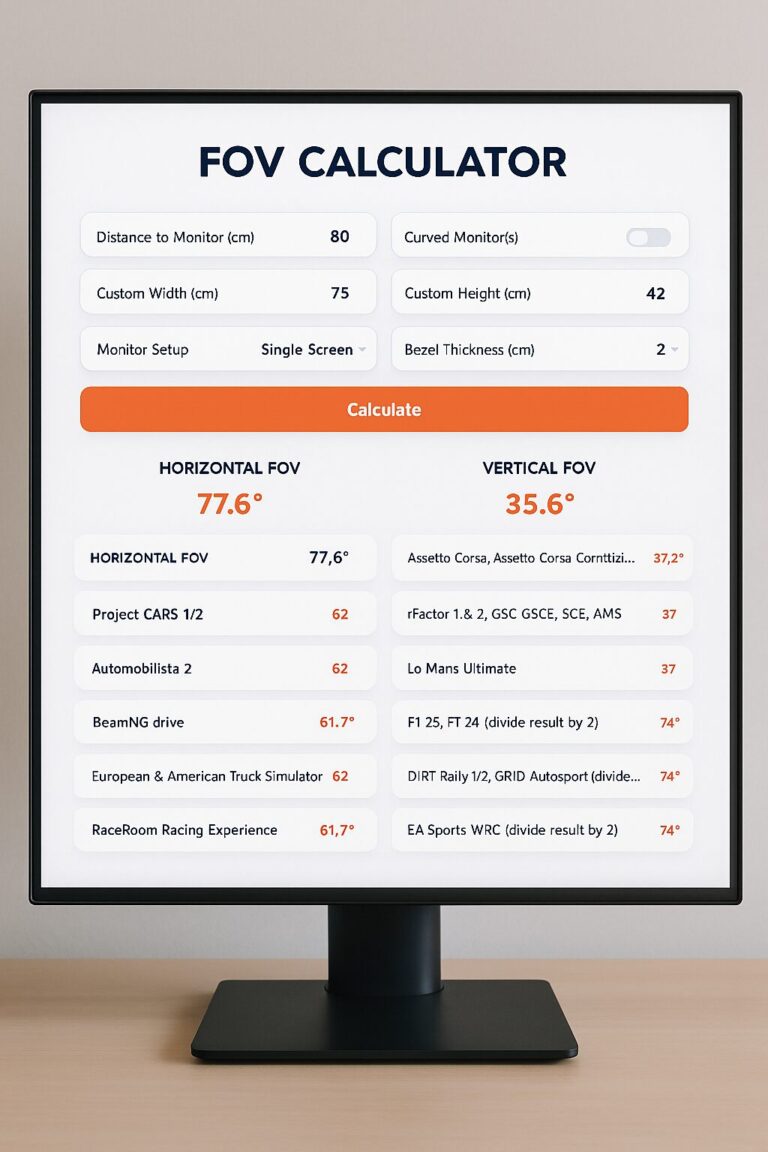
Physical Field of View
The game’s field-of-view setting should match the size and distance of the monitor.
An artificially wide camera setting makes the cockpit look fast but distorts distance. Cars and braking points appear farther away, while the steering wheel and dashboard can look unnaturally small.
A correct field of view may initially feel narrow, but it improves scale and distance judgment.
Best Resolution for Sim Racing
1920 × 1080
1080p is easy to run and still useful for budget triple-screen systems.
On screens larger than 27 inches, pixel density becomes low at close cockpit distance.
2560 × 1440
1440p provides an excellent balance for 27- and 32-inch monitors.
Triple 1440p requires the GPU to render 7680 × 1440, or approximately 11.1 million pixels. That is demanding but significantly easier than triple 4K.
3440 × 1440
This is the practical ultrawide resolution.
It offers more horizontal view than 16:9 while remaining accessible to mid-range and upper-mid-range GPUs.
5120 × 1440
Dual QHD is equivalent to two 2560 × 1440 screens side by side.
It provides strong horizontal immersion and is easier to render than 4K triples or Dual UHD.
3840 × 2160
4K is excellent for a sharp 32-inch single monitor or console setup.
One 4K display is demanding but manageable with modern gaming hardware and upscaling.
5120 × 2160
5K2K combines 4K vertical clarity with 21:9 width.
It is a strong premium compromise between 4K and Dual UHD.
7680 × 2160
Dual UHD delivers exceptional clarity and width but requires one of the fastest available gaming GPUs for high-refresh racing.
Triple 4K
Triple 4K provides the widest high-resolution cockpit but renders nearly 25 million pixels per frame.
I would consider triple 1440p before triple 4K unless the simulator PC is built specifically for that workload.
How Much Refresh Rate Do You Need for Sim Racing?
Refresh rate is the number of times a monitor can update the image each second.
| Refresh Rate | My Assessment |
|---|---|
| 60 Hz | Playable, but motion and input feel limited |
| 75–100 Hz | Noticeably smoother than 60 Hz |
| 120–144 Hz | Excellent target for most sim racers |
| 165–180 Hz | Useful for strong PC systems |
| 240 Hz | Premium motion clarity when the PC can supply high frame rates |
| 330 Hz and above | Limited practical benefit for most simulation racing |
I consider 120–165 Hz the sweet spot.
It feels smooth, reduces visible motion stepping, and does not require the same performance compromises as chasing 240 frames per second at an extreme resolution.
Response Time
Advertised response-time numbers are not directly comparable between every brand.
Some refer to gray-to-gray transitions, while others use moving-picture response time. Overdrive settings can also create inverse ghosting if pushed too aggressively.
OLED currently provides the cleanest pixel transitions. Fast IPS is generally strong. VA offers good contrast but may show slower dark transitions.
Variable Refresh Rate
Adaptive-Sync, FreeSync, and G-SYNC-compatible operation allow the monitor to synchronize with changing game frame rates.
This reduces tearing and can make frame-rate variation less distracting.
I still prefer to cap the frame rate slightly below the monitor’s maximum and maintain stable performance.
OLED vs Mini-LED vs IPS vs VA for Sim Racing
| Panel Type | Main Strength | Main Weakness |
|---|---|---|
| OLED | Perfect black, fast response, excellent contrast | Permanent image-retention risk |
| Mini-LED LCD | High brightness and strong HDR | Blooming around bright objects |
| IPS | Viewing angles, color stability, good motion | Weak black levels |
| VA | High native contrast and value | Slower dark transitions on some models |
Is OLED Safe for Sim Racing?
OLED can be used successfully for sim racing, but static interfaces create a relevant risk.
I use automatic screen dimming, pixel-shift features, panel-refresh cycles, hidden desktop taskbars, dark themes, rotating content, and shorter static-menu periods.
I also check the current regional warranty before buying.
Is Mini-LED Better?
Mini-LED is preferable when I want strong HDR brightness without OLED burn-in concerns.
It cannot control every pixel independently, so bright headlights or interface elements can produce halos against a dark background.
IPS or VA?
I choose IPS for motion consistency, viewing angles, and triple-screen matching.
I choose VA for stronger contrast and lower-cost curved ultrawides.
How to Mount a Sim Racing Monitor Correctly
Place the Monitor Close to the Wheel
I position the display as close as practical to the steering wheel without interfering with my hands or wheelbase ventilation.
For many cockpits, the ideal location is directly behind the wheelbase or just above the steering shaft.
Align Eye Height
My eyes should usually align near the vertical center of the display or slightly above it.
A screen mounted too high creates neck strain and makes the virtual horizon feel unnatural.
Use a Stable Stand
A freestanding monitor stand prevents direct drive vibrations from reaching the screen.
This becomes more important with:
- High-torque wheelbases
- Bass shakers
- Motion systems
- Large super-ultrawide monitors
- Triple screens
Check VESA and Weight Ratings
I verify the monitor’s weight without its original stand, the VESA pattern, and the maximum load of the mounting hardware.
A monitor arm that technically supports the weight may still sag because the screen’s width creates significant leverage.
Triple-Screen Alignment
Triple monitors should match in height, distance, angle, and vertical tilt.
The left and right screens should begin where the center monitor ends without a visible step.
Small alignment errors are more distracting than the bezels themselves.
Best Sim Racing Monitor for PS5 and Xbox
Console racers should usually choose a 16:9 monitor because it matches the standard widescreen format used by PS5 and Xbox games.
Unlike PC gaming, consoles generally do not provide native 21:9 or 32:9 ultrawide output. A 16:9 display therefore provides straightforward compatibility without the unused screen space or scaling issues that can occur when connecting a console to an ultrawide monitor.
What to Look For
- 4K UHD resolution
- HDMI 2.1 connectivity
- Up to 120 Hz console gaming
- Variable refresh rate (VRR) support
- Low input latency and fast response time
- 27-inch to 32-inch size for cockpit use
- Strong HDR performance
- Good contrast and motion clarity
The GIGABYTE MO27U2 is my premium 27-inch recommendation for this use. Its 4K QD-OLED panel, HDMI 2.1 connectivity, extremely fast 0.03 ms GTG response time, and high-refresh capabilities make it particularly attractive for racing games where image quality and motion clarity are priorities.
Its standard 16:9 aspect ratio is also a better fit for console gaming than 21:9 or 32:9 ultrawide displays. On PC, the MO27U2 can take advantage of its full 240 Hz refresh rate, while compatible console games can run at up to 120 Hz.
If you prefer a larger 32-inch OLED screen for a more physically immersive cockpit view, the ASUS ROG Swift OLED PG32UCDM is a premium alternative.
Ultrawide Console Use
An ultrawide monitor may accept a console signal, but the game typically remains 16:9.
The monitor may display black bars at the sides or stretch the image. Stretching distorts circles, cars, and cockpit geometry, so I avoid it.
Sim Racing Monitor Decision Matrix
| Your Priority | My Recommendation | Why |
|---|---|---|
| Best overall single screen | Samsung Neo G9 57 | Dual UHD width and clarity |
| Best OLED super-ultrawide | Samsung OLED G9 | Fast response and perfect black |
| Best tall ultrawide | LG 45GX950A | 45-inch 5K2K 21:9 OLED |
| Best premium triples | ASUS PG32UCDM | 4K 240 Hz QD-OLED |
| Best PS5 or Xbox monitor | Gigabyte MO27U2 | 4K QD-OLED, HDMI 2.1, and up to 120 Hz console gaming |
| Best budget ultrawide | AOC CU34G2X | 3440 × 1440 and 144 Hz |
| Best budget alternative | MSI MAG 342CQR E2 | Curved 180 Hz ultrawide value |
| Lowest GPU demand | 34-inch 3440 × 1440 monitor | Fewer pixels than 4K or super-ultrawide |
| Best side visibility | Triple 32-inch monitors | Side screens wrap around the cockpit |
| Best clean installation | 49- or 57-inch super-ultrawide | One panel with no center bezel |
| Best HDR without OLED risk | Samsung Neo G9 57 | Mini-LED backlighting |
Best Sim Racing Monitor Upgrade Path
- Move the existing monitor closer to the wheel.
- Set a mathematically correct field of view.
- Upgrade from 60 Hz to at least 120–144 Hz.
- Move from 1080p to 1440p or 4K where appropriate.
- Choose a 34-inch ultrawide for a simple immersion upgrade.
- Move to a 49-inch super-ultrawide or triple 27-inch setup.
- Upgrade the graphics card before increasing resolution dramatically.
- Move to 57-inch Dual UHD or premium triple 32-inch displays only with a suitable PC and stand.
Should You Upgrade the Monitor or Graphics Card First?
I upgrade the graphics card first when the existing system cannot maintain a stable frame rate at the target resolution.
I upgrade the monitor first when the PC already produces more frames than the current 60 Hz display can show.
Should You Upgrade the Monitor or Wheel First?
A monitor upgrade improves visibility and immersion. A wheelbase upgrade improves physical feedback.
I prioritize a stable cockpit and load-cell pedals before buying the most expensive display. A balanced simulator produces better driving value than one exceptional component surrounded by weak hardware.
Related guides:
Common Sim Racing Monitor Buying Mistakes
Buying the Largest Screen Without Measuring the Room
Super-ultrawide monitors are much wider than their diagonal size suggests. I measure the cockpit, doorways, monitor stand, and surrounding room before buying.
Ignoring GPU Requirements
A monitor cannot create frames the graphics card cannot render. Dual UHD and triple 4K may require major graphics compromises.
Mounting the Screen Too Far Away
A distant monitor reduces field of view and makes the cockpit feel disconnected.
Using an Incorrect In-Game Field of View
An excessively wide camera distorts distance and scale.
Buying Ultrawide for Console Racing
Most console games do not output native ultrawide images.
Ignoring OLED Static Content
Sim racing HUDs and telemetry can remain fixed for hours. OLED protection features should be used consistently.
Choosing Refresh Rate Over Resolution Without Considering the Game
A 330 Hz low-resolution mode may be useful in competitive shooters but less valuable than native high-resolution clarity in sim racing.
Attaching a Heavy Monitor to a Weak Cockpit
Wheelbase vibration can shake the display and loosen mounts.
Building Triple Screens Without Adjustment Hardware
Fixed stands make bezel and angle alignment unnecessarily difficult.
Frequently Asked Questions About Sim Racing Monitors
What is the best monitor for sim racing?
My best overall choice is the Samsung Odyssey Neo G9 57-inch. It combines a wide 32:9 view with sharp 7680 × 2160 resolution and a 1000R curve.
Is an ultrawide monitor good for sim racing?
Yes. An ultrawide monitor provides more horizontal visibility than a standard 16:9 screen and is easier to install than triple monitors.
Is 34 inches enough for sim racing?
Yes. A 34-inch 3440 × 1440 monitor is one of the best value options for a PC cockpit, especially when mounted close to the steering wheel.
Is 49 inches good for sim racing?
Yes. A 49-inch 5120 × 1440 super-ultrawide provides a wide view equivalent to two 27-inch QHD monitors without a center bezel.
Is 57 inches too large?
Not for a permanent cockpit with enough room and a suitable stand. It is excessive for a normal desk or small room.
Is a curved monitor better for sim racing?
Curvature is useful on large ultrawide displays because it brings the outer edges closer to the driver. It is less important on a normal 27- or 32-inch screen.
What curvature is best?
A 1000R or 800R curve works well at close cockpit distance. A gentler 1500R or 1800R curve is more suitable for mixed racing and productivity use.
Is OLED good for sim racing?
OLED provides excellent motion clarity, contrast, and night-racing performance. Static dashboards and HUD elements create a permanent image-retention risk that should be managed.
Can OLED monitors get burn-in from sim racing?
Yes, permanent image retention is possible after extended exposure to static content. Pixel-shift, dimming, panel-maintenance cycles, hidden HUD elements, and varied content reduce the risk.
Is Mini-LED better than OLED?
Mini-LED can become brighter and does not have the same burn-in risk. OLED provides perfect black and faster pixel response. The better choice depends on usage.
Is IPS or VA better?
IPS generally provides better viewing angles and more consistent motion. VA provides stronger black levels and contrast at lower prices.
What refresh rate is best for sim racing?
I recommend at least 120–144 Hz. Refresh rates between 144 and 180 Hz provide an excellent balance. A 240 Hz monitor is useful when the PC can produce sufficiently high frame rates.
Is 60 Hz enough?
It is playable, but steering and motion feel noticeably smoother at 120 Hz or higher.
Is 4K worth it for sim racing?
Yes, especially on a 32-inch display. 4K improves dashboard text, distant details, car models, and track clarity. It also increases GPU demand.
Is 1440p enough?
Yes. 1440p is the best performance balance for many single and triple-monitor cockpits.
What GPU do I need for a super-ultrawide?
The answer depends on the game and target frame rate. A 5120 × 1440 monitor is easier to run than 4K triples or 7680 × 2160. Demanding simulators may require an upper-mid-range or high-end modern GPU.
What GPU do I need for the Neo G9 57?
A high-end graphics card is recommended because the native Dual UHD resolution contains the same number of pixels as two 4K screens.
Are triple monitors better than ultrawide?
Triples provide better side-window coverage and can wrap farther around the driver. Ultrawides are easier to configure and avoid bezel lines.
What size is best for triple monitors?
Triple 27-inch 1440p monitors provide a strong performance balance. Triple 32-inch monitors offer more height and immersion but require more room and GPU power.
Can PS5 use an ultrawide monitor?
PS5 can connect to many ultrawide monitors, but games normally output a 16:9 image. The monitor may show black side bars or stretch the picture.
What is the best monitor for PS5 racing?
A 27-inch 4K QD-OLED display is an excellent choice for gamers who prioritize sharp image quality, fast response times, and smooth high-refresh gaming. The GIGABYTE MO27U2 is my premium recommendation, combining 4K UHD resolution, a 240 Hz refresh rate, 0.03 ms GTG response time, HDMI 2.1, and QD-OLED image quality.
Can Xbox use 32:9?
Xbox games generally do not render native 32:9 images. A 16:9 monitor or television is more appropriate for console racing.
Should the monitor be attached to the cockpit?
A separate stand is preferable when the cockpit uses strong direct drive, haptic feedback, or motion. It prevents vibration from reaching the screen.
How close should the monitor be?
As close as safely practical, often directly behind the wheelbase or above the steering shaft. Exact distance depends on screen size and cockpit geometry.
Should the monitor be above the wheelbase?
It can be, but keeping the bottom edge close to the wheel shaft usually creates a more natural cockpit view.
Do I need HDR for sim racing?
No. HDR can improve sunlight, headlights, brake lights, night racing, and weather transitions, but resolution, refresh rate, and correct positioning are more important.
What is the best budget sim racing monitor?
A 34-inch 3440 × 1440 curved monitor such as the AOC CU34G2X or MSI MAG 342CQR E2 provides strong value.
Final Verdict: Which Sim Racing Monitor Should You Buy?
The Samsung Odyssey Neo G9 57-inch is my best overall sim racing monitor.
Its combination of 7680 × 2160 resolution, 32:9 width, 1000R curvature, Mini-LED backlighting, and high refresh rate creates one of the most complete single-monitor cockpit experiences.
I particularly value its vertical resolution. The display provides super-ultrawide width without limiting the image to 1440 pixels in height. Dashboards, track detail, braking boards, and cockpit surfaces look exceptionally sharp.
The main limitation is the system required to use it. Dual UHD places an enormous load on the graphics card, and the monitor needs a strong dedicated stand.
The Samsung Odyssey OLED G9 is the better choice when OLED motion clarity, black levels, and lower GPU demand matter more than 4K-class vertical detail.
The LG UltraGear 45GX950A is my recommendation for racers who want a taller and more natural 21:9 window into the cockpit. Its 5120 × 2160 resolution solves the pixel-density weakness of earlier 45-inch ultrawides.
For the widest competitive view, I would still consider triple monitors. Three ASUS ROG Swift OLED PG32UCDM displays can create an extraordinary cockpit, although the price, GPU demand, OLED risk, and mounting complexity are extreme.
The GIGABYTE MO27U2 is a premium 4K option for gamers who prioritize exceptional image clarity, QD-OLED contrast, and ultra-smooth 240 Hz performance. It does not provide the wider field of view of an ultrawide monitor, but its standard 16:9 format offers broad compatibility across PC and console gaming.
For a more affordable PC setup, the AOC CU34G2X and MSI MAG 342CQR E2 provide the 3440 × 1440 resolution and high refresh rate I consider the best entry point into ultrawide racing.
My final advice is to treat monitor placement as part of the purchase.
A less expensive screen mounted close to the steering wheel with a correct field of view can provide a better experience than a larger display positioned too far away.
I would also reserve enough budget for a strong monitor stand and the graphics hardware needed to maintain stable frame rates.
My Final Recommendations
Best overall: Samsung Odyssey Neo G9 57-inch
Best OLED super-ultrawide: Samsung Odyssey OLED G9
Best premium 21:9 monitor: LG UltraGear 45GX950A
Best premium triple monitor: ASUS ROG Swift OLED PG32UCDM
Best 4K High-Refresh Gaming: Gigabyte MO27U2
Best Budget Ultrawide Sim Racing & Immersive PC Gaming: AOC CU34G2X
Best budget alternative: MSI MAG 342CQR E2
Best console format: 32-inch 4K 16:9
Best PC value format: 34-inch 3440 × 1440 ultrawide
Best competitive field of view: Triple 32-inch monitors
Choose the Samsung Neo G9 57
I would choose the Neo G9 when I want the widest high-resolution single-screen setup and have the PC and monitor stand required to support it.
Choose a 34-Inch Ultrawide
I would choose a 3440 × 1440 ultrawide when I want strong immersion without rebuilding the entire simulator around a new graphics card and monitor stand.

Hi, I’m Peter Edwards, a lifelong sim racing enthusiast, tech tinkerer, and automotive geek with a passion for making virtual racing feel as real as possible. I’ve spent years testing steering wheels, pedals, and full cockpit rigs—from entry-level gear to pro-grade setups—to help others build immersive, affordable racing experiences at home.
When I’m not tightening bolts on my rig or tuning force feedback curves, you’ll find me comparing telemetry data, exploring new racing titles, or helping fellow racers fine-tune their setups. My goal is to share honest, experience-based insights that help every driver—from casual weekend racers to aspiring eSports pros—get faster, smoother, and more connected to the track.
I write for SimRacingEnthusiast.com, where I share deep-dive reviews, setup guides, and honest opinions on the latest in the sim racing world.